The real product
Screenshots of the portal the committee uses every day.
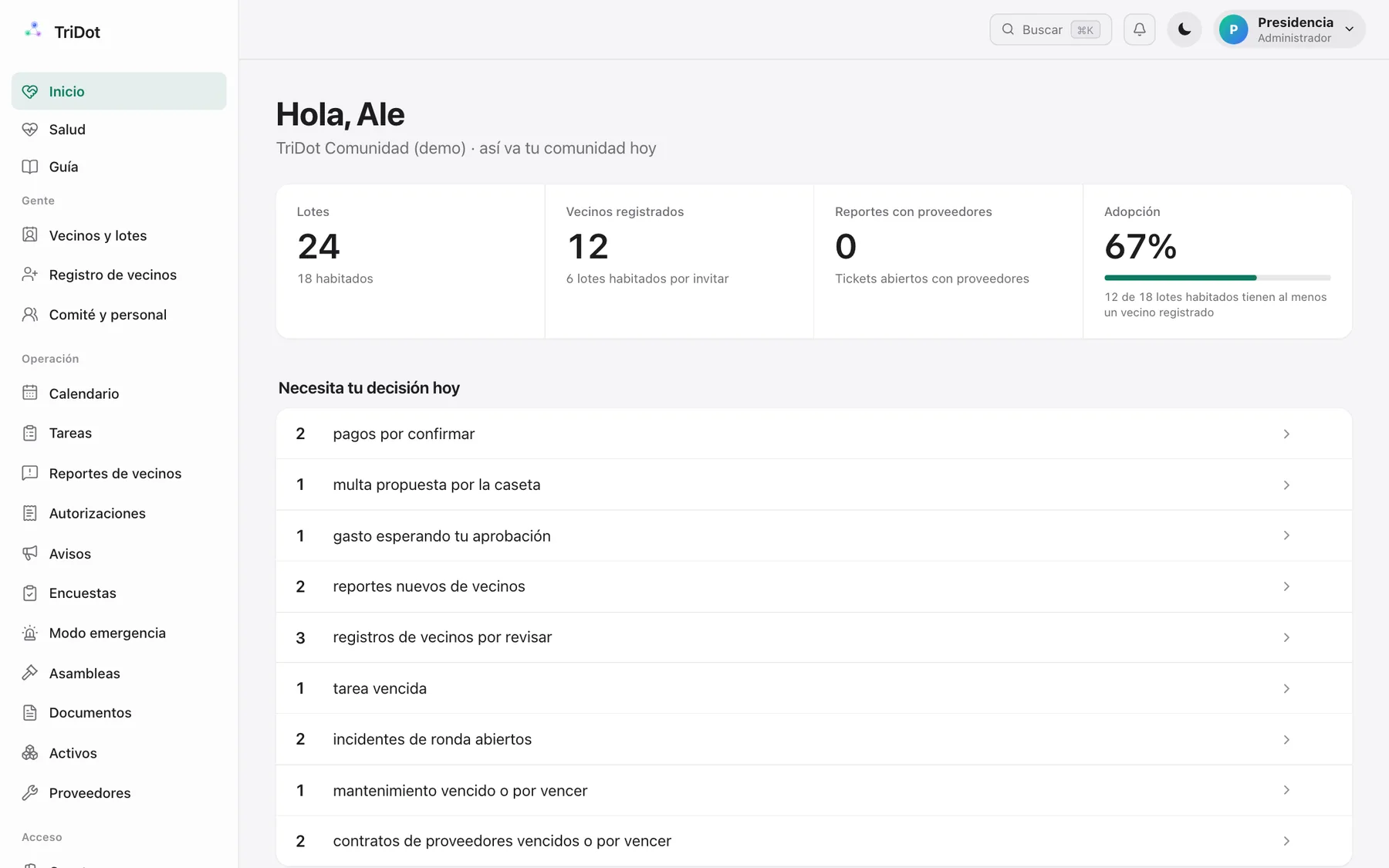
Screenshots of the demo community, with sample data.
Residents keep using WhatsApp, as always. The committee sees everything — reports, spending, fees — in one clear portal, with the evidence behind each item.
Pick a situation and step through it. On the left, WhatsApp; on the right, what the committee sees in its portal at that moment.
The president asks on WhatsApp and it ends with photo proof.
The portal is for church leadership. Your congregation gets in through WhatsApp and their private My Church page.
President, treasurer, board members and comptroller: sign in to your portal to see reports, finances and your community at a glance.
Sign in to the portalDon't have access yet? Ask your community's president.Report a problem, get answers about the bylaws, vote and receive notices — all over WhatsApp, nothing to install.
Open WhatsAppYour committee registers you; if you're not registered yet, TriDot will tell you when you write.Site administrator, gatehouse and co-op: your committee registers you and you work from WhatsApp. Type “help” to see what you can do.
Open WhatsAppType “ayuda” to see your commands: tasks with photo evidence, gatehouse log and more.What already works today and what comes next. Each community turns on only the modules it uses.
The resident reports over WhatsApp; TriDot understands the problem, finds the vendor, gets a quote and follows up until it's closed.
Catalog and orders over WhatsApp for the clubhouse, with a board and cash close.
Conversations your congregation can already have with TriDot today.
A community holds complaints, ID photos and money decisions. Here's how we protect them.
Who reported sits in a table nobody can read from the browser; an anonymous complaint doesn't even carry the name. Sensitive ones are seen only by the president and comptroller.
The photo goes to private storage and the identifier is kept only as an encrypted fingerprint. Everything is deleted automatically after a defined period.
Every approval, payment, access decision and important change is recorded with who and when. Not even we can modify it.
TriDot sets up the neighborhood, the lots and the committee. You choose which modules to turn on.
Residents, staff and the gatehouse write or send a voice note; TriDot understands and turns it into a record.
Turn on the modules your church needs, when it needs them — without migrating systems again.
Screenshots of the portal the committee uses every day.
Screenshots of the demo community, with sample data.
No. It gives your manager (and the committee) a tool to run their work better — tasks, spending approvals, the gatehouse. It's still their judgment; TriDot just organizes it and follows up.
No. Neighbors talk over WhatsApp, same as always. The committee (president, treasurer, board members) gets its own portal to see everything at a glance.
The payment is processed directly by Stripe — TriDot never sees or stores your card number. You can keep paying by bank transfer if you prefer.
Yes. The resident registry imports from an Excel or CSV file, and your rules/minutes upload as-is. No need to start from zero.
It depends on the size of your community, but the typical order is: registry and rules first, then fees and gatehouse, and the rest turns on based on what your committee actually uses — never all at once.
You never depend on us staying in business: any committee member with access can export everything (roster, dues, tasks, complaints, documents) from the portal at any time. And if TriDot stops operating, it's a written contract commitment: full delivery within 30 days, at no cost.
Anonymity is guaranteed by the database itself, not just a promise — neither the committee nor TriDot's team can see who filed a complaint marked anonymous.
Tell us about your neighborhood and we'll show you how it would look with your lots and your committee.